Planned around your goals
Set goals such as “finish my thesis” or “train three times a week”. Daymax finds time for them between your fixed commitments, and each goal gets its own colour on the calendar.
Daymax is the AI day planner for iPhone. Tell it your goals.
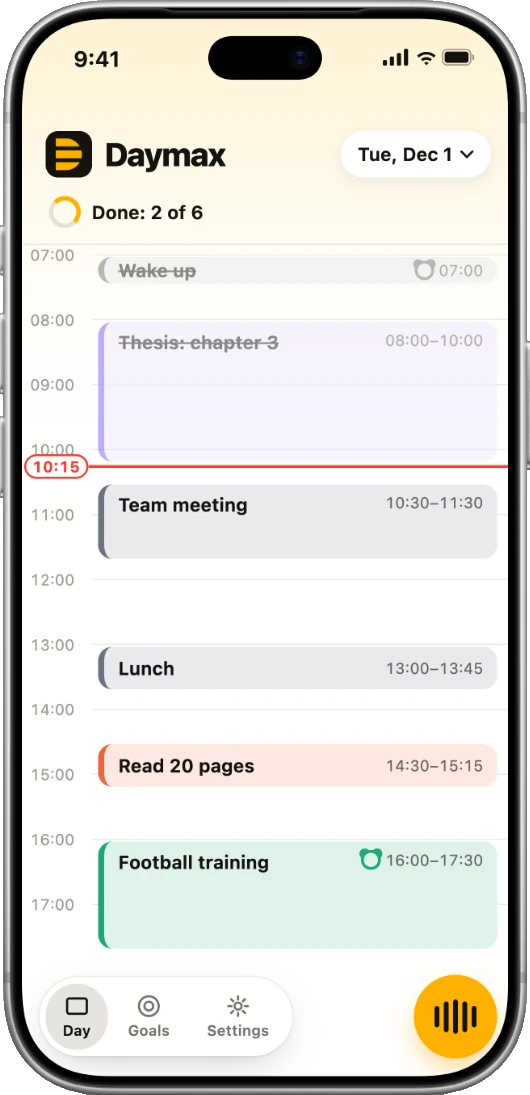
Daymax is an AI day planner for iPhone. You give it your goals, the things you have to do and the hours that are already taken, and it turns them into a time-blocked plan for the day. When a meeting runs over or you move a task, it reschedules the rest so the plan still fits. You can run all of it by talking to it.
Set goals such as “finish my thesis” or “train three times a week”. Daymax finds time for them between your fixed commitments, and each goal gets its own colour on the calendar.
Hold a voice conversation over your calendar: “move training to six”, “add a dentist appointment on Friday at ten”. It listens the whole time and you can interrupt it.
Drag a block, finish early or skip a task, and the rest of the day is rearranged at once. One tap undoes any change the assistant made.
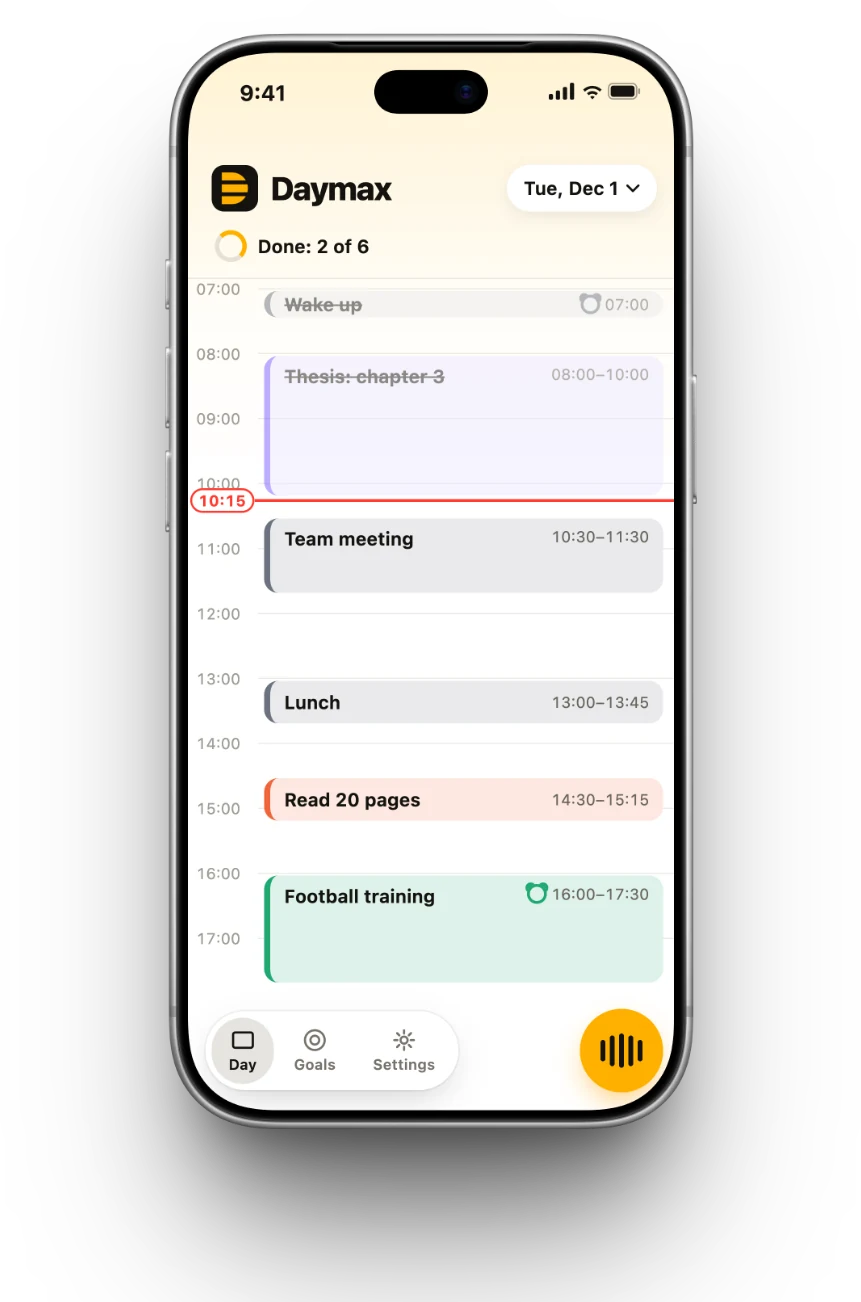
Put an alarm on the start or the end of any block, and a wake-up alarm on the morning. You always see when it will ring.
Trainings, classes and weekly meetings repeat by themselves, and can count towards a goal.
Take a picture of a timetable or a handwritten list and the assistant puts it on your calendar.
Add your goals, your wake-up time and the commitments you already have.
Daymax lays out the day in time blocks that fit the hours you really have.
Tell the assistant what changed. It updates the plan and tells you what it did.
Daymax is an AI day planner for iPhone. It builds a time-blocked schedule for your day from your goals, tasks and fixed commitments, and replans it when something changes.
A calendar shows what is fixed and a to-do list shows what is left. Daymax combines both: it decides when each task and goal fits into the free hours of your day, and keeps that plan up to date.
Yes. You can hold a voice conversation with the assistant while looking at your calendar, or type to it. It can add, move and remove events, set alarms and assign blocks to goals.
Daymax is in testing and will be released on the App Store for iPhone. Join the waitlist and you will get one email on launch day.
Daymax is a native iPhone app and requires iOS 26 or later. There is no Android version at launch.
The app is available in English and Polish, with more languages on the way. The assistant understands requests written or spoken in many languages.
Pricing will be announced at launch.
Speech is turned into text by Apple’s speech recognition. Daymax never stores audio; only the text of your request is sent to the assistant.

Leave your email and get it on launch day.